Deep Oak Color Notepad Templates: A Practical Tool for Organized Creativity
For anyone engaged in creating, planning, or managing projects, the simple act of writing things down remains a cornerstone of productivity. However, the medium you choose can significantly impact the efficiency and clarity of that process. The Deep Oak Color Notepad Templates package is a digital toolkit designed to elevate that foundational activity. It is not merely a set of blank pages; it is a structured, aesthetically coherent collection of interior templates formatted specifically for creating physical notepads or digital notebooks through Amazon’s Kindle Direct Publishing (KDP) platform.
This resource fits into the workflow of designers, content creators, small publishers, and entrepreneurs who produce tangible or digital planners, journals, or workbooks. It serves as the ready-made, professional interior that turns an idea for a themed notepad into a market-ready product. The deep oak color scheme provides a consistent visual anchor, moving beyond generic white pages to offer a distinct identity that can appeal to users looking for tools with a specific aesthetic or mood.
Integrating Templates into Your Production Process
The journey from concept to finished product often involves several stages: design, formatting, testing, and finally, publication. The Deep Oak Color Notepad Templates are positioned to streamline the core formatting and design phase. Before you even begin designing a cover or planning marketing, having a resolved interior template establishes a solid foundation. It answers the critical question of what the user will actually see and use on every page.
This package interacts directly with other essential tools in a publisher’s or creator’s arsenal. The included editable source files in AI and EPS formats mean you can open them in Adobe Illustrator or similar vector editing software. This allows for seamless integration with your existing design workflow. If you’ve created a logo, additional graphics, or want to slightly adjust layout elements to match your cover design, you can do so within the same professional design environment. The simultaneous provision of PDF, JPG, SVG, and PPT formats ensures compatibility across different stages: the PDF is for final KDP upload, the JPGs might be used for online previews, and the PPT could be handy for quick client presentations.
Preparation and Setup for Consistent Quality
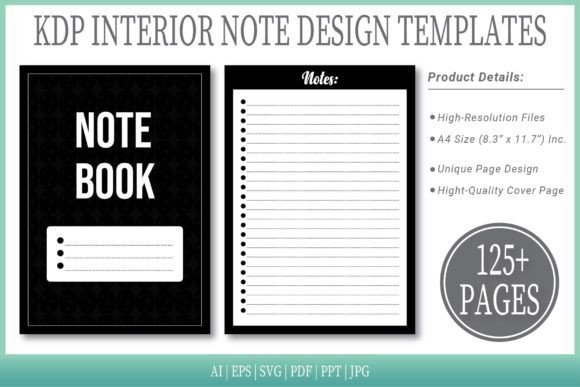
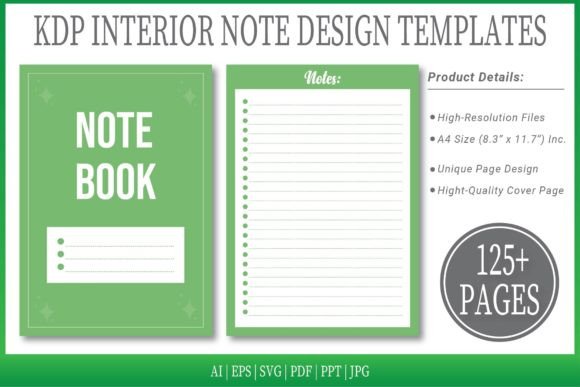
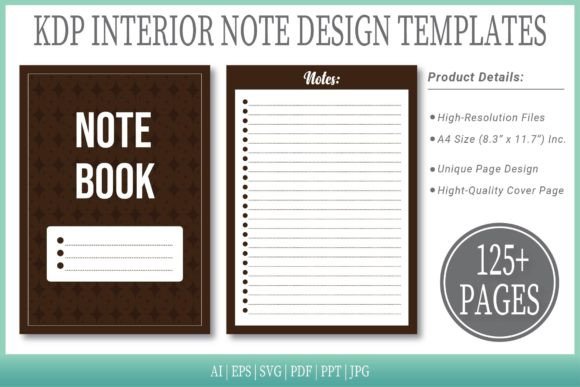
A key factor in using any template system effectively is preparation. The first practical step is to assess the template’s structure against your final goal. The Deep Oak Color Notepad Templates come in a size of A4 (8.3" x 11.7"), which is a standard and popular dimension for notebooks and planners. The “No Bleed” specification is important: it indicates the design is safe for printing without requiring margins to be extended off the page, which simplifies the printing setup for KDP beginners.
With 125 pages available across multiple file types, you have volume and variety at the outset. This long-term usability is crucial. You aren’t just creating a single 30-page notebook; you have the capacity to produce thicker, more substantial products, or to select and compile only certain pages for a shorter edition. The inclusion of an extra cover page template further bridges the gap between interior and exterior, promoting brand or thematic consistency across the entire product.
From a quality control perspective, using a pre-designed template like this reduces variables. Every page will have the same color background, the same layout fundamentals. This means you can focus your energy on adding unique content—like specific prompts, calendars, or trackers—onto a stable canvas, rather than worrying about setting up that canvas from scratch for each page. It enforces a visual consistency that end-users appreciate, as it makes the notebook easier and more pleasant to navigate.
Practical Applications and Workflow Examples
Consider the workflow of a freelance graphic designer who also sells branded productivity tools online. They identify a demand for nature-themed organizers. Instead of spending days building a page layout and choosing a color palette, they start with the Deep Oak Color Notepad Templates. The rich, earthy tone of the pages is already aligned with the theme. They then use the editable AI file to overlay their custom-designed weekly planner grids, habit trackers, and inspirational quotes onto the deep oak background. Because the base is already formatted to correct KDP specifications, they save significant time on technical setup and can proceed faster to content creation and proofing.
Another example is an educator creating a specialized journal for a course. They need a durable, physical notebook for students to use during a semester-long project. The educator wants it to feel professional and distinct from ordinary notebooks. They download the template package, use the PDF version to insert their pre-written instructions and project frameworks into each page using a PDF editor, and then upload that finished PDF directly to KDP for printing and distribution. The process bypasses complex design software altogether, leveraging the ready-to-use PDF interior.
The templates also function well in a collaborative setting. A small business team planning a new product launch might use the PPT versions of the pages during internal brainstorming meetings. They can quickly populate slides with ideas, mock-ups of notebook pages, and timelines, all within the recognizable deep oak visual framework, ensuring that the creative and logistical discussions are grounded in the actual look of the final product.
Tips for Smooth Implementation
To integrate the Deep Oak Color Notepad Templates smoothly, begin by auditing your needs. Do you require all 125 pages? Which file format best matches your primary software skill set—are you a vector illustrator expert, or do you work mainly with PDFs? Download the entire package and immediately open the format you intend to use to check the layout. Make a test page by adding some sample content and exporting it to see how it renders.
Organization is vital. Keep the source files in a dedicated project folder, and consider creating a simple versioning system as you make edits. If you are adding substantial custom elements, build them on separate layers in the Illustrator file to maintain the ability to edit them independently from the base template. For efficiency, if you are producing multiple notepad products, you can use this same template package as a base for different lines, simply changing the added content while keeping the recognizable deep oak background as your brand’s signature for a series.
Remember that the template is a starting point. Its value is in handling the fundamental, repetitive design work. Your creative energy should then flow into what makes your notepad unique: the prompts, the structure, the purpose it serves for the end-user. This separation of concerns—template for foundation, you for content—is a powerful method for scaling production without sacrificing quality or burning out on minutiae.
Beyond the Template: Long-Term Use and Adaptation
The long-term utility of a well-made template package lies in its adaptability. The Deep Oak Color Notepad Templates, with their vector source files, are inherently adaptable. As your design skills grow or market trends shift, you can return to the AI or EPS files and modify the base color slightly, add a subtle texture, or integrate new layout divisions. This isn’t a static product; it’s a durable asset for your digital toolkit.
Furthermore, consistent use of a single template system across multiple projects can create a recognizable portfolio for you as a creator. If customers see that your published notebooks share a professional, cohesive internal design language, it builds trust and brand identity. The deep oak color becomes part of your product signature, much like a font or logo.
In a practical sense, having a reliable interior template also speeds up the reaction time to new opportunities. If a potential client or partner requests a custom notebook proposal, you can generate a mock-up in hours, not days, by leveraging the pre-formatted pages. This responsiveness can be a significant competitive advantage in fast-moving creative markets.
Ultimately, tools like the Deep Oak Color Notepad Templates address the often-overlooked middle layer of the creative process: the translation of idea into repeatable, producible form. They don’t generate the ideas, nor do they handle the final marketing, but they solidify the pathway between those stages. For the professional, creator, or entrepreneur who understands that reliable processes underpin successful outcomes, integrating such a structured template into their workflow is a step towards both greater efficiency and sustained creative output.